
Madara Theme MIUI is a premium theme for Xiaomi phones. This theme comes with premium app icons, a Style experience and other inspiring features. If you are searching for a premium iOS Theme for MIUI, try this beautiful theme. Including the iOS Style app icons, we can find similar iOS Widgets, including the Home and Lock screen layout. Here’s the more details about Madara Theme MIUI.
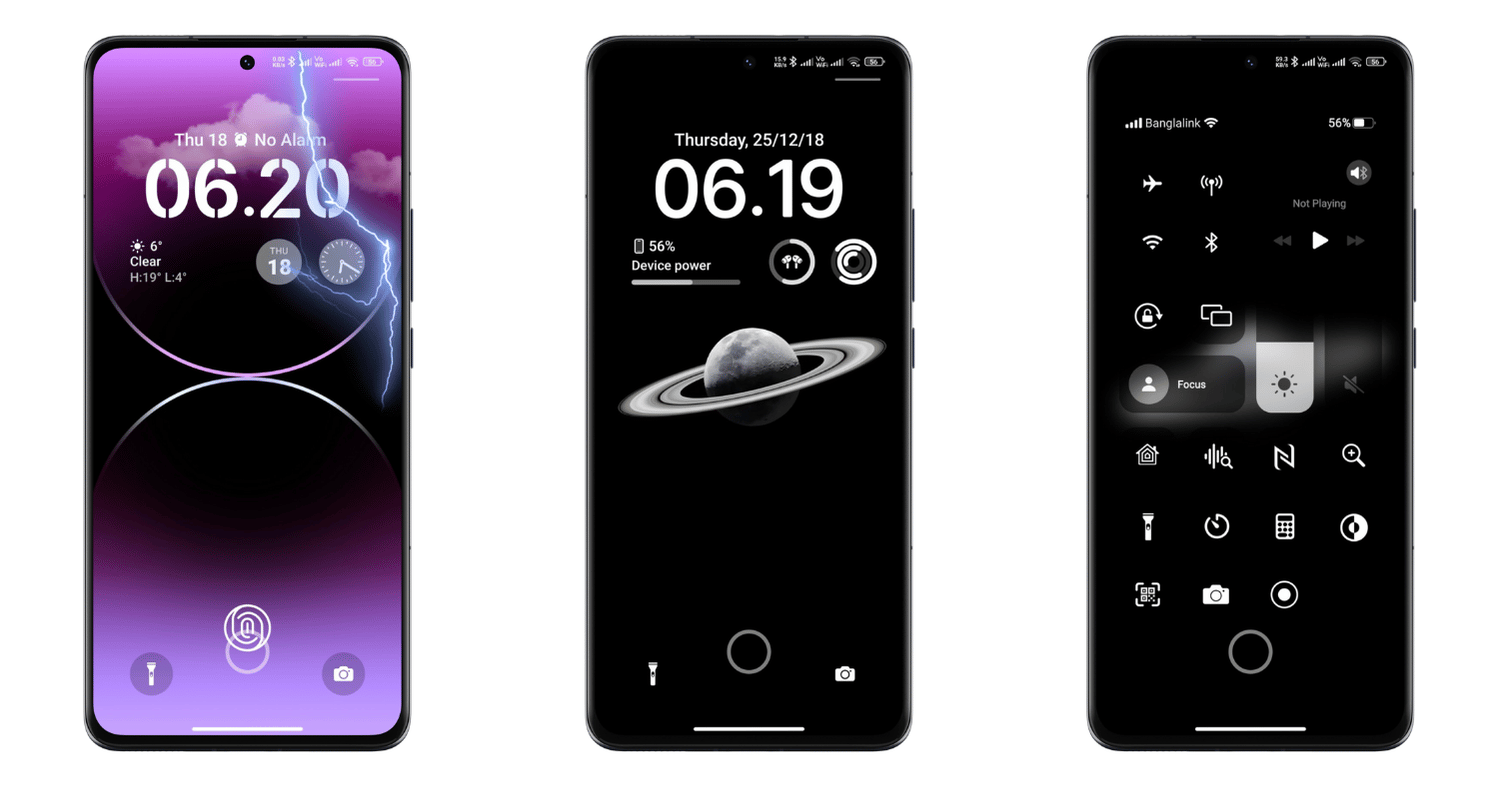
We can find the beautiful iOS 16-based lock screen here, starting with the lock screen. The lock screen of this theme is premium with the support of the iOS Widgets, including dynamic lock screen features like the support of AOD and other beautiful shortcuts.
Also, we can find beautiful app widgets on the Home screen to customize and give a stunning user experience. Users who love the home screen will widen this Madara Theme HyperOS Experience.
About Madara Theme MIUI
Tema Madara, aka Madara Theme, is based on the iOS Style. For example, we can find a similar iOS Experience in a minimal form on the iPhone. Although the iPhone’s iOS is the origin of the iPhone, we can still find some on other Android phones, including Xiaomi, Redmi, and Poco.
Features:
Lock screen customization
The beautiful iOS 16-based lock screen is found in this Madara Theme Xiaomi. If you know the lock screen based on the iOS 16 in iPhone, you will get a similar (not exact) experience with the lock screen. Here, we can find the round widgets of the clock showing the weather and other fitness trackers.
Also, you can add additional widgets for apps, including app shortcuts. The new notifications are easily accessible on the lock screen in this theme. Additionally, here, we get the dialer and camera shortcuts.
Home screen widgets
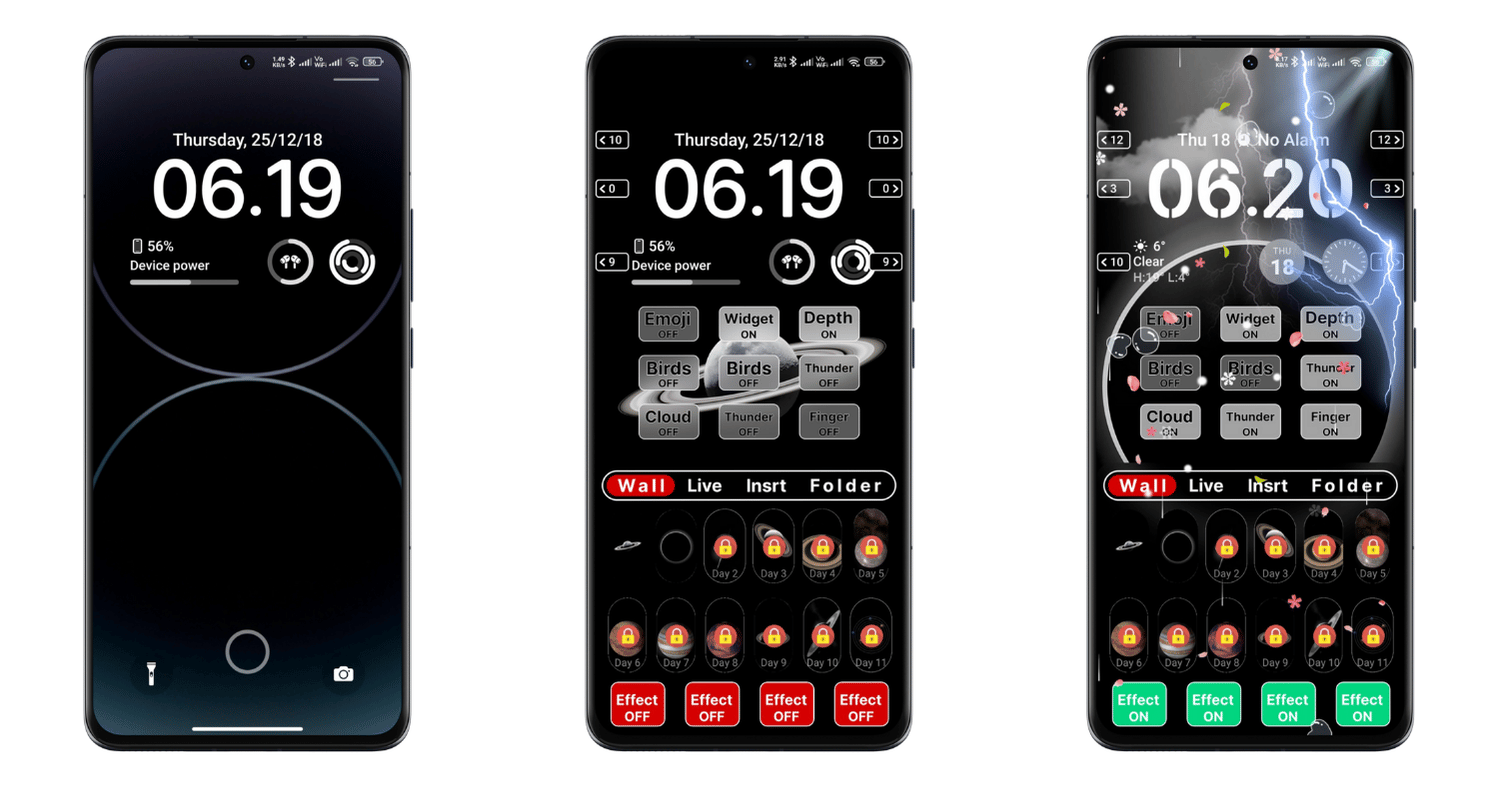
We know the major customization factor of every Phone is widgets. In this Madara Theme MIUI, you will find many widgets to add to the home screen. With these beautiful third-party app widgets, including theme widgets, you will quickly reincarnate your Xiaomi phone’s home screen.
Also, in this MIUI Madara Theme, we can get additional widgets for the system apps. By default, you can easily add the weather and clock widgets in the home screen, which gives a similar UI to the iPhone.
Beautiful iOS App Icons
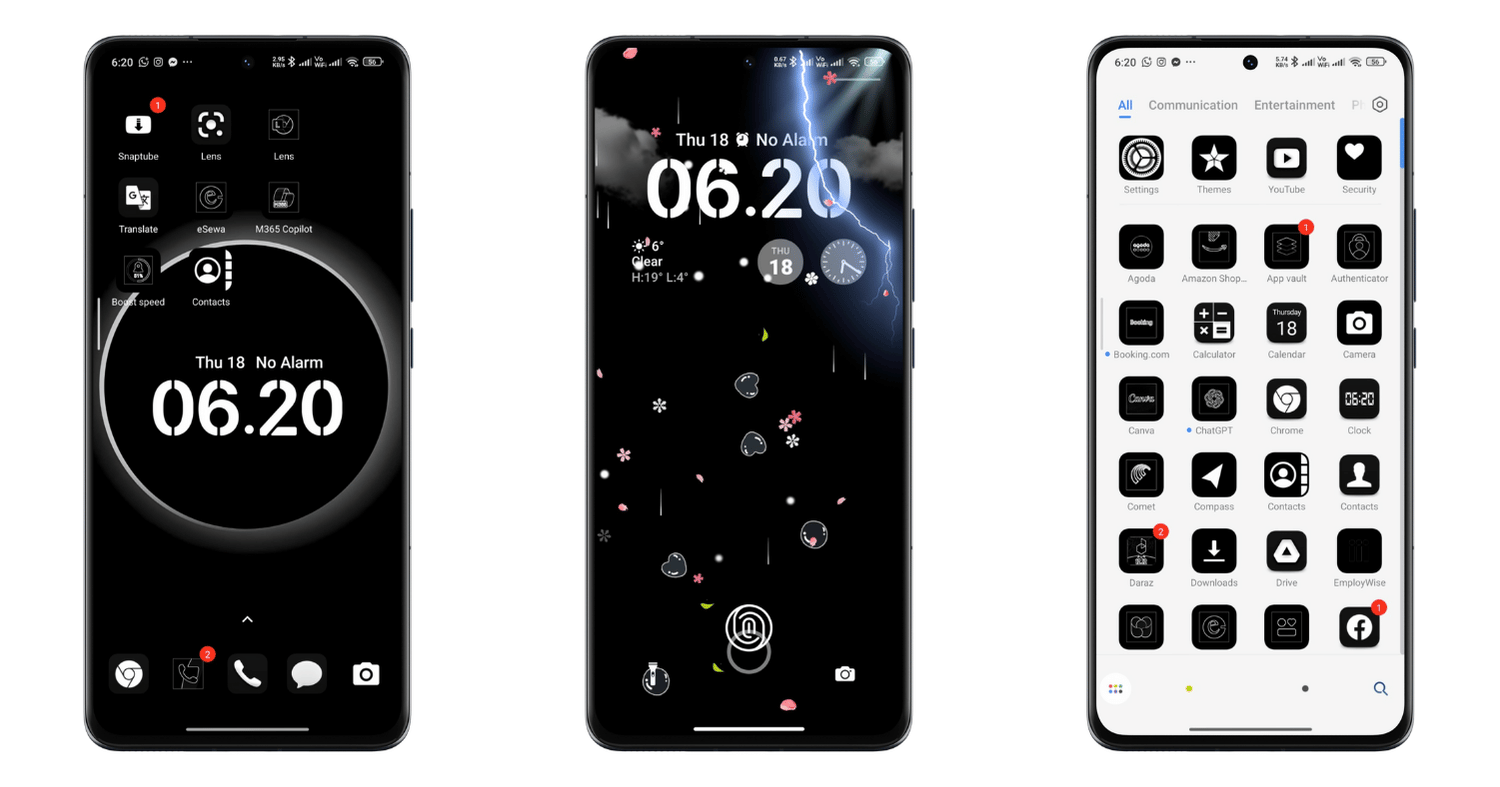
You will get not only the customization but also the iPhone-style app icons. In this Tema Madara, you will find beautiful app icons almost similar to the iPhone app icons. Although some app icons are not identical to the iPhone, they try to give the iPhone-style experience in your Redmi phones with the iOS App Icons.
iOS Control Center
The handy control centre of the iPhone is also available in this theme. Including the other prime features of the iPhone here, we can also find the iOS Style control centre in this Theme, Madara HyperOS. Here, we can see the impressive and revamped control centre. With this control centre, you will have a more flexible option to take control of the significant app shortcuts.
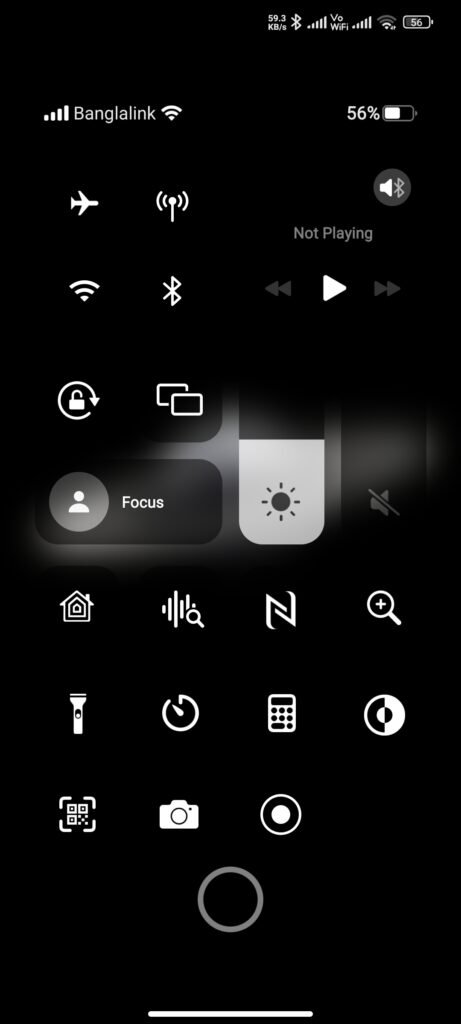
You will find ease of control with this iOS Control Centre for HyperOS. But still, it’s just a theme, so we can’t expect a total functioning and drastic change and experience in this control centre of Madara Theme MIUI.
iOS Dialer
If your Xiaomi phone comes with the MIUI Dialer you will get another feature in this theme. In this MIUI Madara Theme, you will find the iOS App Dialer, making dialling the number and getting more iPhone features easy. Similar to the iPhone, the iOS Dialer works like your regular Dialer.
Remember: Only the Phone running on MIUI Dialer will get this iOS Dialer. The Phone running on Google Dialer won’t get this feature.
Other Features of the Madara Theme
Besides the iOS Dialer iOS App icons, Lockscreen and iPhone widgets, we can find other minimal changes in the system icons and layout with this theme. The system, icons like Wi-Fi, Mobile Data, and the Settings icons and layout have mainly been changed. These remarkable features I have mentioned make it a premium and best iOS Theme for MIUI & HyperOS.
Madara Theme Details
Tema Madara is developed by Station. This theme is compatible with all the Xiaomi phones running on MIUI 11 & above and the HyperOS. But based on your Xiaomi phone model and the update year, the customization features may be more/less. Okay, here are the details of this beautiful MIUI Madara Theme.
| Theme Name | Madara |
| Theme Size | 56.73 MB |
| Compatibility | MIUI 11 & Higher and HyperOS |
| Designed by | Station |
Download Tema Madara
You can easily install and apply this theme to your Xiaomi phone. Depending upon the update of this theme, the theme size may be different. You can still download your phone’s latest and most compatible version of this Madara Theme Xiaomi. Here’s the official store download link for you. Also, to make it easy, we have shared the alternative MTZ Link for this theme.
Madara Theme Links
Get Download Links for MIUI & HyperOS
The process to Install and Apply Madara Theme
You can easily install and apply this theme from the Official store link. You can still install this theme by downloading the MTZ File for this theme. But installing the MTZ File is not recommended on my end.
For an easy and universal process, we will install and apply this theme from the Official Store Link,
- Tap on the Official Store Link; it will redirect you to the Theme page from the Themes app (Xiaomi Theme Store App).
- From the theme page, scroll down and tap on Install/Download; this process will download the theme.
- Tap on Apply after the downloading process is done.
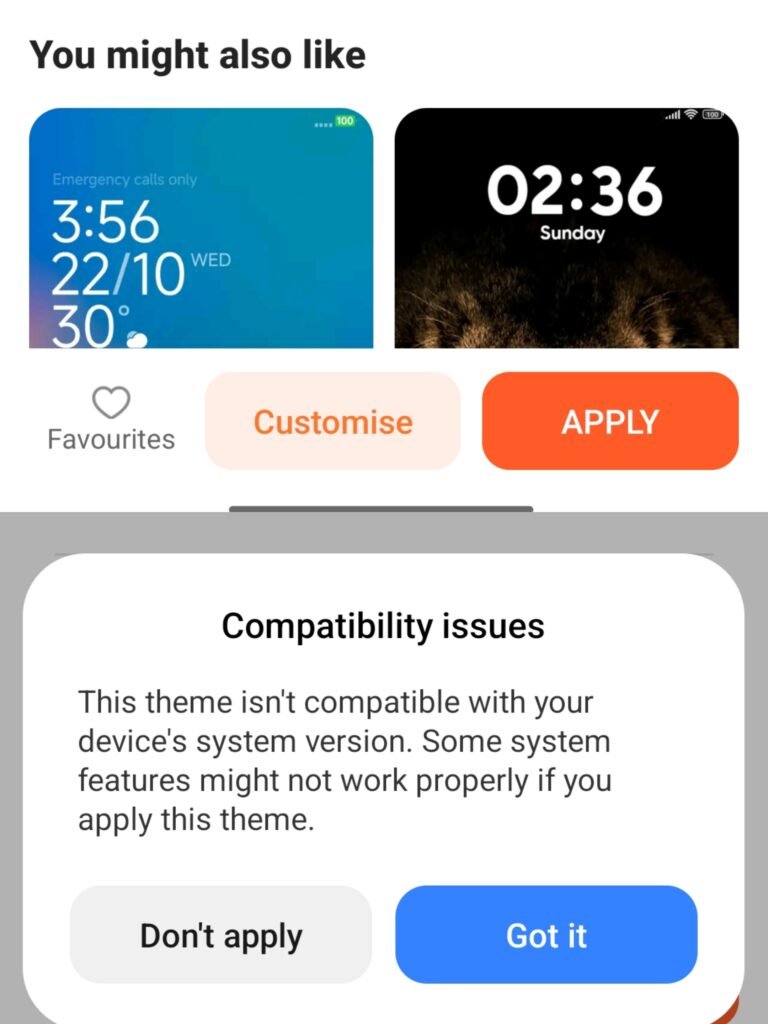
- Allow/choose the changes you want to apply with this theme; it shows Homescreen, App icons, etc.
- Tap/Mark on all and then tap to Apply/continue. That’s it.
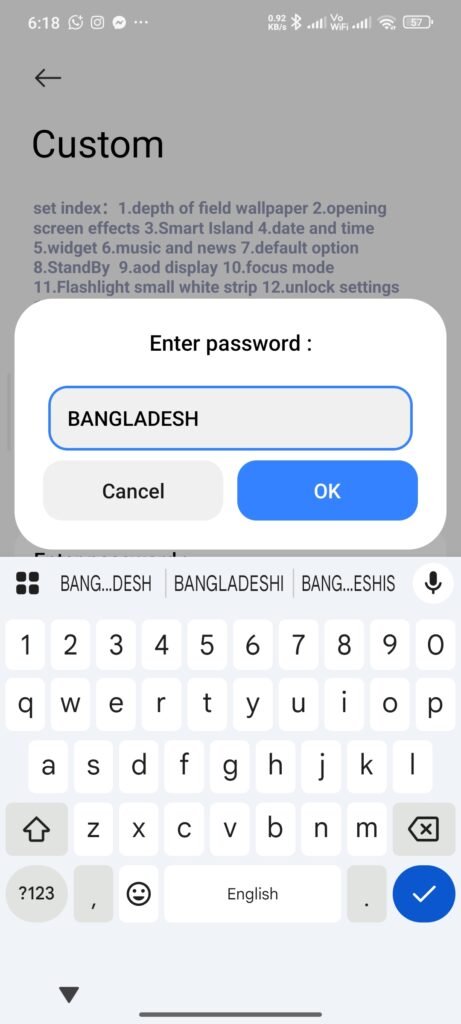
How to Customize: Go to My account>Lockscreen>Customise, now enter the password ‘BANGLADESH‘ start customizing this theme.
FAQ
Is Madara Theme free?
Yes. It’s free from the official Xiaomi Theme Store; the MTZ file is an alternative for custom ROMs.
Which phones support Madara Theme?
Xiaomi, Redmi, and Poco devices on MIUI 11 or higher and HyperOS. Available features vary by model and ROM version and ROM region.
How big is the Madara Theme file?
56.73 MB. Size can change with theme updates.
Who designed Madara Theme?
Station, published through the Xiaomi Theme Store.
Should I use the Store Link or the MTZ file?
Use the Store Link — it installs through the Themes app. Use MTZ only if the store link doesn’t work on your ROM.
How do I customize the lock screen?
Open Themes app in your phone and Go to My Account → Lockscreen → Customise and enter the password BANGLADESH.
Why is the iOS Dialer missing?
It only appears on phones using the MIUI Dialer. Devices on Google Phone won’t get it.
The Store Link won’t open — what do I do?
Copy the link, open Mi Browser, paste it, and choose the Themes app.
Conclusion
This Madara Theme MIUI is a premium iOS Theme for MIUI. Although we can’t expect a deep and real-life experience as an original OS, we can still extract some inspired expertise and features in these themes. Like the other iOS themes for HyperOS, we can also find an iPhone-style experience and layout in this Madara Theme Xiaomi.
This premium Madara Theme for Xiaomi HyperOS will be one of the best MIUI & HyperOS phone themes.